ConnectEBT is the official website (ConnectEBT.com) and mobile app for managing Electronic Benefits Transfer (EBT) accounts in participating states. It is not a benefit program itself. You use ConnectEBT to check your SNAP or cash balance, review transactions, change your PIN, lock and unlock your EBT card, and report a lost or stolen card. ConnectEBT is operated by Conduent under contract with state agencies and currently supports Alabama, Arkansas, American Samoa, Delaware, Georgia, Illinois, Iowa, Maine, Montana, New Jersey, Ohio, Oklahoma, Pennsylvania, South Carolina, Utah, and Virginia.
Quick Facts Table
Item
Information
Program
ConnectEBT (website and mobile app for EBT account management; not a benefit program)
Agency
State human services agencies, with technology operated by Conduent
Eligibility
Active EBT cardholders in supported states receiving SNAP, cash assistance (TANF), or other EBT-issued benefits
Income Limits
No separate income limit for ConnectEBT access. Eligibility for benefits is set by the state SNAP or cash assistance program.
Monthly Benefit
Not applicable. ConnectEBT does not issue benefits; it is a management tool. Benefit amounts are set by the state program.
Application
No application for ConnectEBT itself. You register after receiving an EBT card. Benefit applications go through your state agency.
Processing Time
Account registration is typically immediate. Benefit application processing times vary by state (SNAP generally up to 30 days).
Renewal
No ConnectEBT renewal. Benefit recertification follows state SNAP or cash assistance rules.
Available States
16 jurisdictions: Alabama, Arkansas, American Samoa, Delaware, Georgia, Illinois, Iowa, Maine, Montana, New Jersey, Ohio, Oklahoma, Pennsylvania, South Carolina, Utah, Virginia
Last Updated
February 2026
What Is ConnectEBT?
ConnectEBT is a free account-management portal and mobile app for EBT cardholders—not a government benefit program. It lets you see your balance, track deposits and spending, change your PIN, and use security features like card locking. The app is developed by Conduent, a private company that contracts with state agencies to run EBT systems.
It does not decide who gets benefits or how much they receive. Those decisions are made by your state’s SNAP or cash assistance agency. ConnectEBT is the digital tool you use after you have been approved and issued an EBT card.
Who Qualifies to Use ConnectEBT?
You can use ConnectEBT if you are an active EBT cardholder in a supported state or territory. You do not need a separate application. Once you receive your EBT card, you can register on ConnectEBT.com or download the app.
You do NOT need ConnectEBT if:
You live in a state not yet supported by the app. You can still manage your EBT account through your state’s own EBT website or customer service line.
You are applying for SNAP but have not yet been approved and issued a card. Apply through your state agency first.
You receive benefits through a different EBT vendor (such as ebtEDGE/FIS). Your state will direct you to the correct portal.
Common exceptions: Some states use ConnectEBT for SNAP and cash assistance, while others use it for SNAP only or WIC (for example, Connecticut’s eWIC program is on ConnectEBT.com but is separate from the ConnectEBT SNAP app). Always check your state’s EBT materials for the correct website and app.
Income Limits and Eligibility for the Underlying Benefits
ConnectEBT has no income limit of its own. The income limits that matter are the ones for the benefit program loaded onto your EBT card—most commonly SNAP (food assistance) and TANF (cash assistance) .
SNAP Income Limits (Federal Fiscal Year 2026, 48 States + DC)
SNAP uses gross and net monthly income tests. Most households must pass both.
State variations: Many states use Broad-Based Categorical Eligibility (BBCE) to raise the gross income limit to 200% FPL or another level. For example, California’s gross limit for one person is $2,610 (200% FPL). Check your state’s SNAP page for the exact limit that applies to you.
Important exceptions: Households where every member receives SSI may face different rules. Households with a member age 60 or older or disabled are generally only required to meet the net income test, not the gross test.
Asset Limits
Asset rules are set by the benefit program, not by ConnectEBT.
SNAP: The federal resource limit is $3,000** for most households. For households with at least one member age **60 or older or disabled**, the limit is **$4,500. Some states have eliminated the asset test for most households under BBCE.
TANF: Asset limits vary widely by state.
ConnectEBT does not enforce or publish asset limits. Your state agency determines whether your resources count against eligibility.
Household Requirements and Citizenship Rules
ConnectEBT does not set household or citizenship rules. These are determined by the SNAP or cash assistance program you receive.
SNAP household: Generally includes everyone who lives together and purchases and prepares food together. Certain people, such as boarders, may be excluded.
Citizenship/immigration: SNAP is limited to U.S. citizens and qualified immigrants (e.g., lawful permanent residents, refugees, asylees) under federal rules. Undocumented immigrants are not eligible for SNAP, but their U.S. citizen children may qualify.
If you have questions about household composition or immigration eligibility, contact your state SNAP agency—not ConnectEBT customer service.
State Differences: A Patchwork of Portals
ConnectEBT is not available in all states, and the features can differ by state. As of 2026, the ConnectEBT app supports 16 jurisdictions: Alabama, Arkansas, American Samoa, Delaware, Georgia, Illinois, Iowa, Maine, Montana, New Jersey, Ohio, Oklahoma, Pennsylvania, South Carolina, Utah, and Virginia.
Some states use ConnectEBT for SNAP and cash assistance (e.g., New Jersey, Georgia).
Some states use ConnectEBT for SNAP only or have separate systems for cash benefits.
Other states use different vendors, such as ebtEDGE (FIS) or state-specific portals. If your state is not on the list, check your EBT card or state agency website for the correct portal.
Customer service numbers also vary by state. For example:
Georgia: 1-888-421-3281
New Jersey: 1-800-997-3333
Oklahoma: 1-888-328-6551
Delaware: 1-800-526-9099
South Carolina: 1-800-554-5268
Utah: 1-800-997-4444
Virginia: 1-866-281-2448
Required Documents to Register for ConnectEBT
You do not need to upload documents to create a ConnectEBT account. Registration requires:
Your EBT card number.
Your date of birth or other identifying information.
The ability to create a User ID and password.
If you are applying for SNAP or cash assistance—not just managing an existing card—you will need proof of identity, income, residency, and immigration status for the state agency application.
How to Register and Log In
Step-by-step for new users:
Go to ConnectEBT.com or download the ConnectEBT app from the Apple App Store or Google Play.
Select your state from the dropdown menu (if using the website) or let the app detect your state.
Choose “Register” or “Create an Account.”
Enter your EBT card number and personal information to verify your identity.
Create a User ID and password.
Log in to view your balance, transactions, and card settings.
If you already had an account on the old ConnectEBT website: Your existing login ID and password will work on the new website. The platform was updated, but your benefits and account are unchanged.
Online Application: What ConnectEBT Does (and Does Not) Do
ConnectEBT is not where you apply for SNAP or cash assistance. To apply for benefits, you must use your state agency’s application portal, visit a local office, or call the state SNAP hotline. Each state has its own application form and process.
ConnectEBT is where you manage your account after approval. It is a post-approval tool, not an application system.
Processing Time for Benefit Applications
ConnectEBT registration is immediate. Benefit application processing times are set by the state:
SNAP: Generally up to 30 days from a complete application. Expedited SNAP can be issued within 3 calendar days for households with very little income and resources.
TANF/cash assistance: Varies by state, often 30–45 days.
Once benefits are approved and loaded, they appear on your ConnectEBT account, usually on your state’s scheduled deposit date.
Payment Schedule: When Benefits Load
ConnectEBT does not set deposit dates. Benefit deposit schedules are set by the state agency. In many states, the deposit date depends on:
You can view your last deposit and transaction history in ConnectEBT to see when benefits typically arrive. For the exact schedule, check your state agency’s website.
Renewal Process: Recertification, Not ConnectEBT Renewal
ConnectEBT does not have a renewal process. Your SNAP or cash assistance recertification is handled by your state agency. You must respond to the agency’s notices by the deadline, provide required documents, and complete any interview.
ConnectEBT can help you monitor your account during the recertification period, but it does not submit renewals or extend benefits. If your benefits stop because you missed a renewal, contact your state agency—not ConnectEBT customer service.
Reasons Applications Are Denied (and What ConnectEBT Can’t Fix)
ConnectEBT does not deny applications. Denials come from the state agency for reasons such as:
Failure to cooperate with the agency (missing interview, not providing information).
ConnectEBT cannot overturn a denial. If you are denied, follow the appeal instructions on your state agency’s notice.
Appeals Process
ConnectEBT has no appeals process. Appeals are handled by the state agency that denied or reduced your benefits. The deadline and process vary by state, but many states allow 90 days from the date of the notice to request a fair hearing. Follow the instructions on your denial notice.
Common Mistakes
Trying to apply for SNAP through ConnectEBT. ConnectEBT is for managing an existing EBT card, not applying for benefits.
Using the wrong state portal. If your state does not support ConnectEBT, you will not be able to register. Check your EBT card or state website.
Sharing your ConnectEBT password or PIN. No legitimate agency will ask for your password. Protect your account.
Not locking your card when not in use. Card skimming and cloning are real risks. Use the card lock feature in the app.
Ignoring your state agency’s recertification notices. ConnectEBT will not remind you to renew; the state agency will.
Calling ConnectEBT for benefit eligibility questions. Customer service can help with card and account issues, not eligibility decisions.
Recent Changes and New Features (2025–2026)
Card locking and fraud protection have expanded significantly in 2026.
ConnectEBT card lock feature: Cardholders in multiple states can now lock and unlock their EBT cards between purchases. The feature is available in the app and website. Some states, like Alabama, began offering it on January 22, 2026. Mississippi launched the app and card lock on June 11, 2026.
High-risk transaction blocks:Ohio automatically enrolled SNAP EBT cards in a “High-Risk Transaction Block” on May 13, 2026, blocking out-of-state and online purchases by default until the cardholder unlocks them. Similar default blocks were introduced in other states.
Chip-enabled EBT cards:Virginia began mailing chip-enabled EBT cards in September 2026 to improve security. Oklahoma is also replacing cards with chip-enabled versions.
Federal replacement limits for stolen benefits: As of December 21, 2024, SNAP benefits stolen electronically are not eligible for replacement under a change in federal budget rules. New Jersey’s state page confirms this: benefits stolen electronically on or after that date are not replaceable. Card locking and PIN protection are now more important than ever.
Common Questions (12 FAQs)
1. Is ConnectEBT a government website? ConnectEBT is a private platform operated by Conduent under contract with state agencies. It is the official EBT management tool for participating states, but it is not a government agency and does not set benefit rules.
2. Which states use ConnectEBT? As of 2026, the ConnectEBT app supports Alabama, Arkansas, American Samoa, Delaware, Georgia, Illinois, Iowa, Maine, Montana, New Jersey, Ohio, Oklahoma, Pennsylvania, South Carolina, Utah, and Virginia. Other states use different portals.
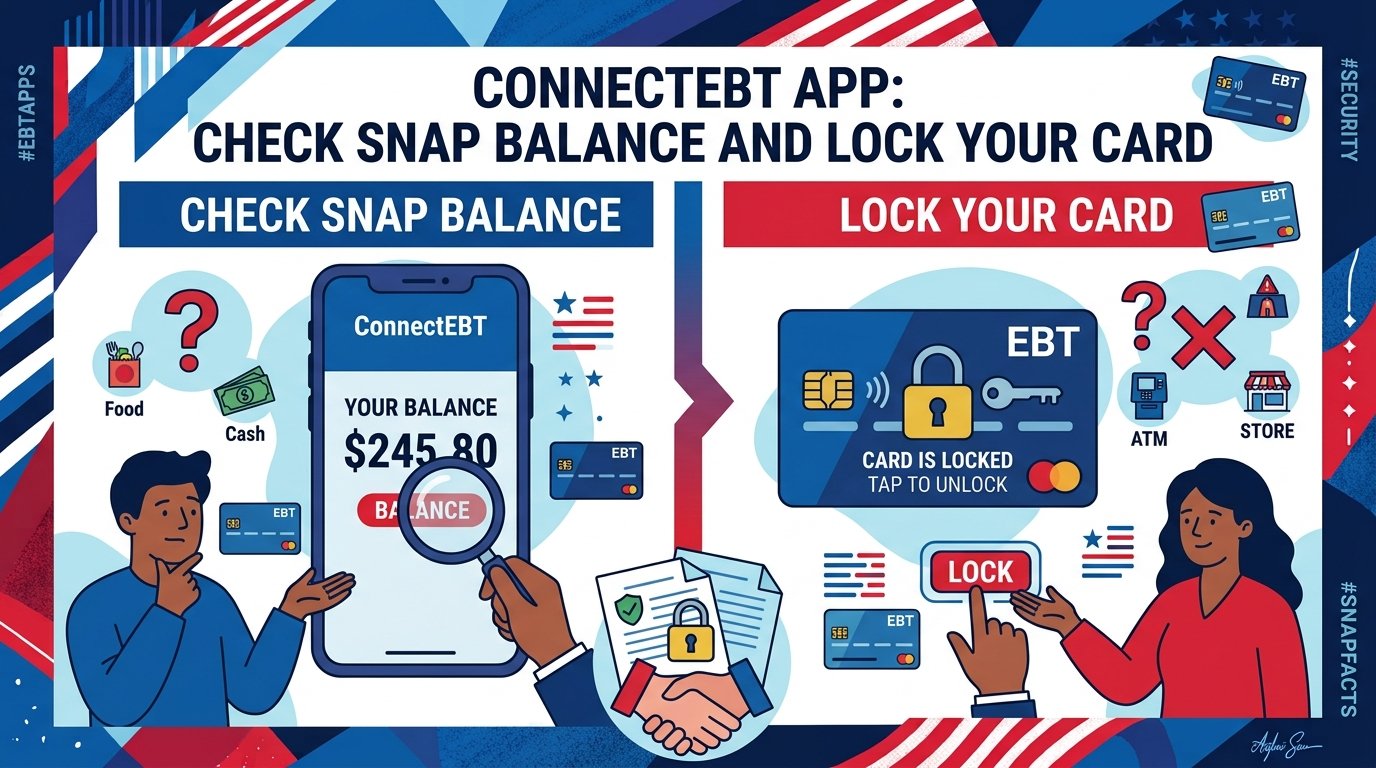
3. How do I check my SNAP balance on ConnectEBT? Log in to ConnectEBT.com or open the app. Your available SNAP balance and cash balance (if applicable) are displayed on the dashboard. You can also review recent deposits and transactions.
4. Can I apply for SNAP through ConnectEBT? No. ConnectEBT is for managing an existing EBT card, not applying for benefits. To apply for SNAP, contact your state SNAP agency or use the state’s online application portal.
5. What is the ConnectEBT customer service number? Customer service numbers vary by state. Check your EBT card or state agency website. Examples: Georgia 1-888-421-3281, New Jersey 1-800-997-3333, Oklahoma 1-888-328-6551.
6. Can I lock my EBT card using ConnectEBT? Yes. The app and website offer a card lock feature in supported states. You can lock your card everywhere, block high-risk transactions, or unlock it when you are ready to make a purchase.
7. What is the “high-risk transaction block”? Some states automatically block out-of-state and online transactions by default to prevent fraud. You must unlock the card in ConnectEBT before making those purchases. Ohio implemented this in May 2026.
8. I forgot my ConnectEBT password. What do I do? Use the “Forgot Password” link on the login page. If you cannot access your account, call your state’s EBT customer service number for help.
9. Does ConnectEBT work for WIC? ConnectEBT.com hosts some state WIC portals (for example, Connecticut eWIC), but the ConnectEBT mobile app for SNAP and cash is separate from WIC. Check your WIC materials for the correct website.
10. Can I use ConnectEBT in a different state? Your ConnectEBT account is tied to the state that issued your EBT card. You can log in from anywhere, but your benefits and card rules are set by your home state. Out-of-state purchases may be blocked depending on your state’s settings.
11. What if my benefits were stolen electronically? Report it immediately to your state EBT customer service and lock your card. As of December 21, 2024, federally funded replacement of electronically stolen SNAP benefits is not available, so prevention through card locking and PIN protection is critical.
12. Is ConnectEBT free? Yes. The ConnectEBT app and website are free. Message and data rates may apply from your mobile carrier.
Key Takeaways
ConnectEBT is an EBT account-management tool, not a benefit program. It does not decide eligibility or benefit amounts.
It supports 16 jurisdictions as of 2026: Alabama, Arkansas, American Samoa, Delaware, Georgia, Illinois, Iowa, Maine, Montana, New Jersey, Ohio, Oklahoma, Pennsylvania, South Carolina, Utah, and Virginia.
You register with your EBT card number after you are approved for SNAP or cash assistance.
ConnectEBT lets you check balances, view transactions, change your PIN, and lock your card.
Card locking and high-risk transaction blocks are expanding in 2026 to combat skimming and cloning.
SNAP income limits for 2026 start at $1,729/month** gross for one person, with a maximum allotment of **$298.
You cannot apply for SNAP through ConnectEBT. Applications go through your state agency.
Benefit deposit dates are set by the state, not by ConnectEBT.
Stolen SNAP benefits are generally not replaceable after December 21, 2024, making card security essential.
Customer service numbers vary by state; check your card or state website for the correct contact.
If you are using ConnectEBT for SNAP or cash assistance, you may also qualify for these programs. None are managed through ConnectEBT, but they serve overlapping populations.
Medicaid: Health coverage for low-income adults, children, pregnant women, seniors, and people with disabilities. Apply through your state Medicaid agency or HealthCare.gov.
CHIP (Children’s Health Insurance Program): Health coverage for children in families with modest incomes.
LIHEAP (Low Income Home Energy Assistance Program): Help with heating and cooling bills, administered through state and local agencies.
Section 8 Housing Choice Voucher: Rental assistance administered by local public housing agencies and HUD.
WIC (Women, Infants, and Children): Nutrition support for pregnant women, new mothers, and children under 5.
SSI (Supplemental Security Income): Cash assistance for aged, blind, or disabled individuals with limited income, administered by the SSA.
Earned Income Tax Credit (EITC) and Child Tax Credit: Federal tax credits administered by the IRS that can provide cash refunds to working families.
TANF (Temporary Assistance for Needy Families): Cash assistance for families with children, administered by state human services agencies.
Summer EBT (Sun Bucks): Seasonal food benefits for school-aged children, administered by states in partnership with USDA.
Pell Grants and Federal Student Aid: Need-based college grants administered by the U.S. Department of Education.